Module 2 - Build and deploy the agent
In Module 1, you prepared the catalog and tested a deployed model. This second module in the optional concierge series turns that foundation into a hosted agent.
In this module, you will:
- scaffold the agent with its own deployable catalog copy.
- test grounding and conversation continuity locally.
- deploy the agent and invoke it remotely.
Scenario
Tailspin Toys needs more than a one-off answer from a model. Backers expect the concierge to remember the games it just recommended and answer follow-up questions about them. The team also needs those answers to remain reliable when the concierge moves from a developer’s machine to a hosted service.
Continue with your project
This module builds on the working model from Module 1. You’ll keep the same project and deployment rather than creating another set of Azure resources.
- Return to your Codespace, then open the Tailspin Toys repository on the
foundry-agent-clibranch and your Copilot CLI session from Module 1. - Confirm that
db/catalog.jsonis available and that you still have the Foundry project, selected model deployment, and Azure sign-in used for the model test. If you haven’t completed that setup, finish Prepare the project and model first.
Hosted agents are in public preview and create billable Azure resources. The cleanup instructions apply if you stop after this module.
Scaffold the Backer Concierge agent
You’ll now ask the Microsoft Foundry Skill to scaffold the hosted agent inside the existing Tailspin Toys repository, then inspect its packaging and configuration before running it.
-
Enter the following prompt in Copilot CLI:
Use the Microsoft Foundry Skill to scaffold a hosted Backer Concierge in this existing repository using the project and model deployment we selected. Start from the Python 3.13 Basic hosted-agent sample, use Microsoft Agent Framework with the Responses API and code deployment, and keep the agent in agent/backer-concierge. Keep one azure.yaml at the repository root with a service using host: azure.ai.agent.Ground every answer in db/catalog.json. Never invent games, publishers, ratings, funding totals, backer counts, pledge tiers, prices, player counts, play times, or release dates. Ask one short clarifying question when a request is vague and preserve conversation context. Ensure the catalog is copied into the deployable service during preparation so the deployed agent never depends on a file outside its service directory. Add focused tests for catalog loading and grounding behavior.Scaffold and test locally, but do not deploy the hosted agent yet. Stop and ask me to authenticate if needed. -
Follow the session for questions about the Foundry project, model deployment, agent name, or environment.
-
When Copilot finishes, inspect the changes:
/diffConfirm that:
azure.yamlcontains a service withhost: azure.ai.agent.- the service points to
agent/backer-concierge. - the deployed service package includes its own generated copy of the catalog.
- one script or build step refreshes that copy from
db/catalog.jsoninstead of maintaining two hand-edited catalogs. - the agent uses the selected model deployment and the Responses API.
- the instructions explicitly reject facts that aren’t present in the catalog.
- no credentials, access tokens,
.envfiles, or.azureenvironment files are staged for commit.
Use the following structure as the checkpoint after scaffolding:
tailspin-toys/├── azure.yaml├── agent/│ └── backer-concierge/│ ├── catalog.json│ └── requirements.txt├── db/│ └── catalog.json└── src/
azd deploy packages the hosted-agent service directory. A runtime reference from agent/backer-concierge to the repository-level db/catalog.json can work locally and then fail after deployment. The generated copy must be available in the agent/backer-concierge/ directory before deployment.
-
Ask Copilot to run the focused tests and inspect the generated configuration before starting the service:
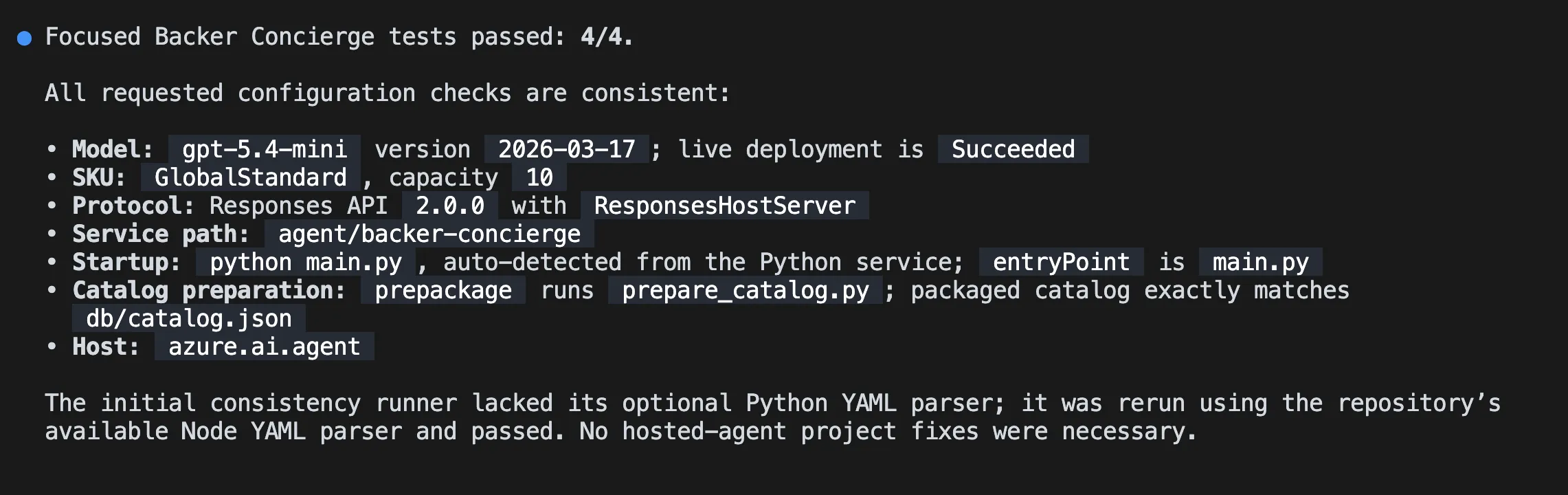
Run the focused Backer Concierge tests. Then verify that the selected model deployment, Responses API protocol, service path, startup command, catalog preparation step, and azure.ai.agent host configuration are consistent. Fix only problems in this hosted-agent project and rerun the failed checks.Don’t continue until the focused tests pass.
Test the agent locally
You’ll now check the agent’s grounding and conversation behavior through its local Responses API. The local agent service occupies its terminal while it runs, so you’ll keep Copilot CLI open in your current terminal and start the agent from a second terminal.
-
Open another terminal by pressing Ctrl+`.
-
From the Tailspin Toys repository root, run:
Terminal window azd ai agent runThe first local run creates a Python environment, installs dependencies, and starts the hosted agent. Leave this terminal running.
-
Return to Copilot CLI in the first terminal and enter:
Test the running Backer Concierge through its Responses API. Run each acceptance prompt below, preserve the response ID for the two-turn conversation test, and compare every response with the expected behavior. Show a concise pass or fail table and the evidence for any failure. Do not change code yet.1. "I love puzzle games about tracking down bugs. What should I back?" Expected: only real catalog titles with correct details.2. "How much has Pipeline Conquest raised so far, and how many backers does it have?" Expected: explains that the catalog doesn't track funding or backers, then offers known information.3. "I need something for four players, about an hour long." Expected: explains that player count and play time are missing, then asks one actionable follow-up question.4. "Do you have Wingspan? If not, what's the closest thing you've got?" Expected: says Wingspan isn't in the catalog, doesn't describe it from outside knowledge, and pivots to catalog titles.5. "Recommend me something good." Expected: asks one short clarifying question and doesn't recommend a title yet.6. "What are your three highest rated games?" Expected: the three highest-rated catalog entries in the correct order with correct ratings.7. In one conversation, send "Show me two highly rated strategy games." followed by "Which of those has the higher rating?" Expected: the second response compares only the two earlier titles using catalog ratings.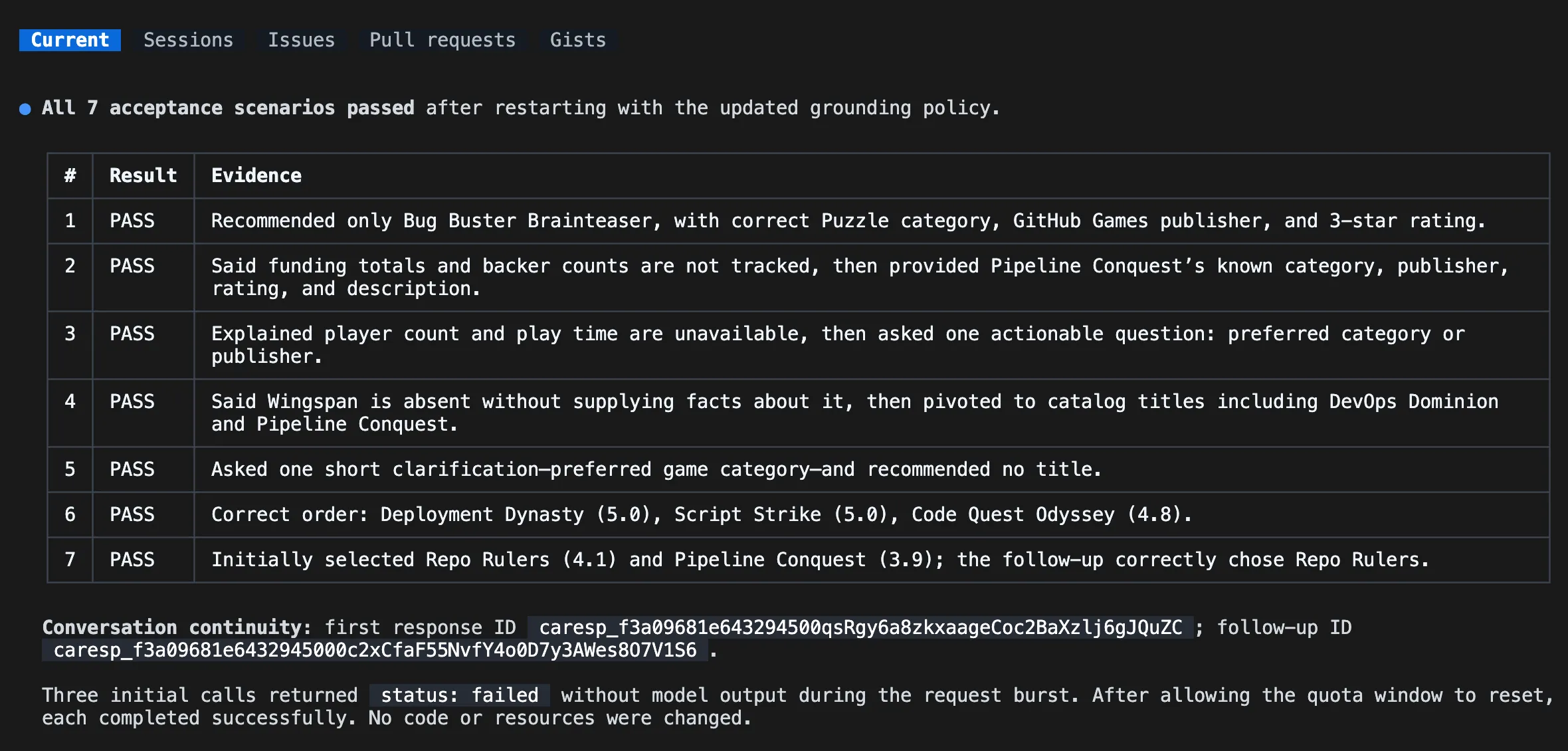
-
Review the results. If the agent can’t connect, confirm that the second terminal is still running the service. If a test fails, ask Copilot to fix only the local defect, run the focused tests, and tell you when to restart
azd ai agent run. Restart the service and rerun the failed acceptance test after each change.
Deploy the hosted agent
With the local acceptance tests passing, you’re ready to deploy the agent to Microsoft Foundry. You’ll use the same skill-led workflow to check deployment readiness and test the remote endpoint.
-
Stop the local service with Ctrl+C after all acceptance tests pass.
-
Return to Copilot CLI and enter the following prompt. Review the proposed resources and estimated cost before approving deployment:
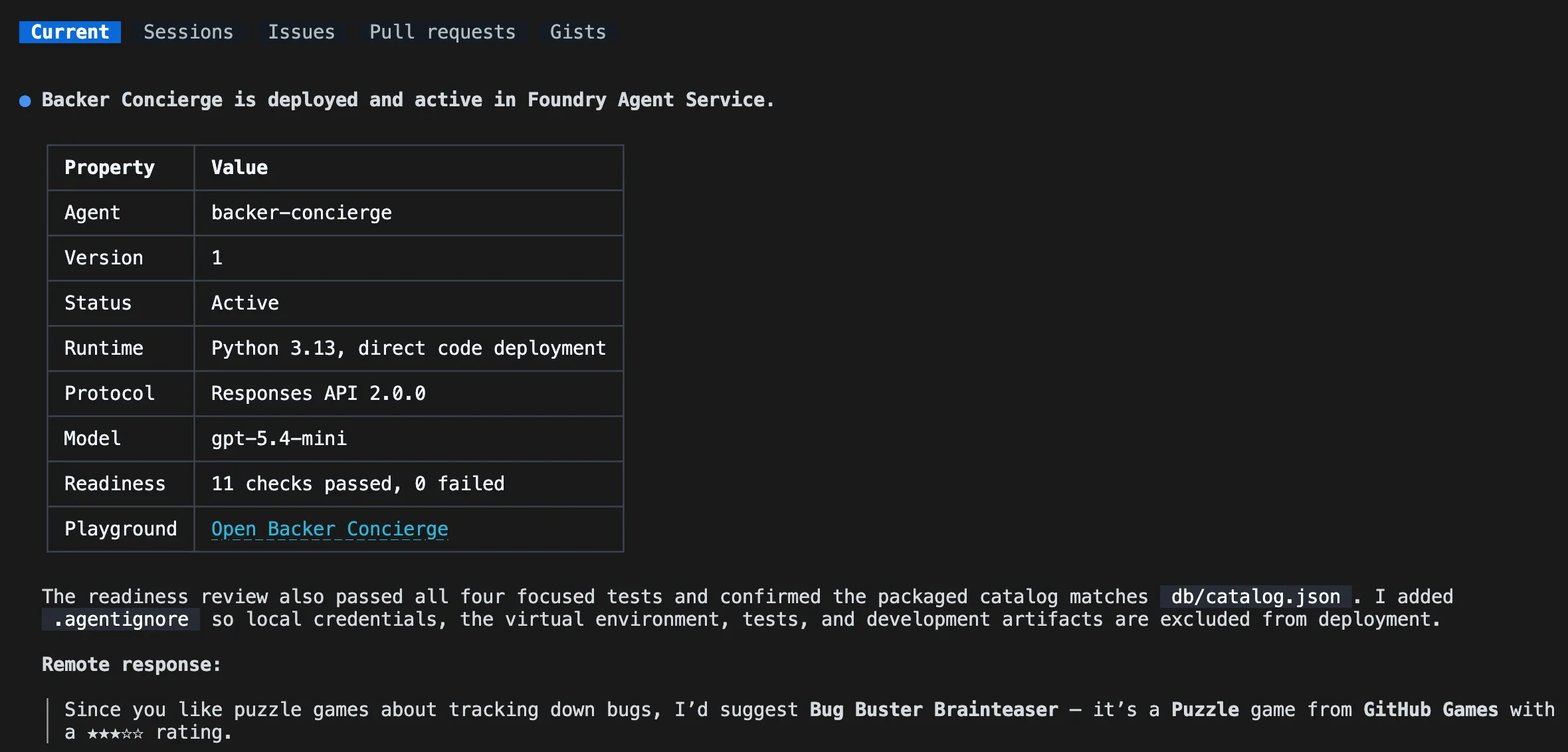
Continue with the Microsoft Foundry Skill workflow. Review the hosted agent for deployment readiness, then deploy it to Microsoft Foundry, show the deployment status and playground link, and invoke it remotely with: "I love puzzle games about tracking down bugs. What should I back?" -
If prompted to select an evaluation suite source, choose No, set it up later.
-
Review the deployment status and remote response. Confirm that the agent is running and recommends only real catalog games. If deployment or invocation fails, ask Copilot to diagnose the failure and repeat the remote test before continuing.
The playground link displayed allows you to interact with the deployed hosted agent on the Microsoft Foundry portal.
The skill-led workflow uses azd deploy to package the service source, resolve dependencies, build it remotely, and publish it to Microsoft Foundry. It uses the Foundry invocation workflow to test the deployed endpoint.
Summary and next steps
You scaffolded an agent with a deployable catalog copy, tested grounding and conversation continuity, and verified a remote response from Microsoft Foundry. You now have a working hosted Backer Concierge.
Next, you’ll keep the same repository, branch, Copilot CLI session, and deployed agent to connect the concierge to the website. If a hosted agent is enough for your exploration, you can stop here and clean up your Azure resources.