Lesson 6 - Merging with Agent Merge
Your filtering feature is built, verified, and seen working in a browser. The last step is to merge it. You’ve merged twice already in this harness — both times you opened the pull request and merged it yourself on github.com. This time you’ll let the app do the heavy lifting with Agent Merge, which shepherds a pull request through its whole lifecycle from inside the app.
In this lesson, you will:
- learn what Agent Merge is and how it automates the merge lifecycle.
- enable Agent Merge on your filtering session.
- watch it create the pull request, run CI, and merge when everything is green.
Scenario
Over the last few modules you’ve explored various levels of automation, from creating code to allowing Copilot to validate a UI directly. To further speed development, Tailspin Toys would like to see if there’s a way pull requests that have been vetted and validated can automatically be merged.
Introducing Agent Merge
Agent Merge allows automation of the last mile of landing a pull request via Copilot app. When you enable it, the app’s session reads your pull request, addresses what’s blocking it — fixing failing CI checks, responding to review comments, rebasing when needed — and merges it as soon as GitHub allows. It runs in the background, survives app restarts, and turns itself off once your pull request is merged.
Up to this point you’ve been the one clicking Merge pull request on github.com. Agent Merge shifts that responsibility to the agent so you can move on to the next task while it shepherds the PR through to completion. You still review and approve the work — the agent just handles the mechanical finish line.
Use Agent Merge to manage the PR
You’ve reviewed the code manually, run tests, and even allowed Copilot to validate the UI. Now it’s time to merge the new code into the codebase! Let’s allow agent merge to shepherd the PR through continuous integration (CI) and to merge.
-
Return to the session you had open from the previous module where you were adding filtering functionality.
-
In the upper right-hand corner, select the dropdown next to Create PR.
-
Select Agent merge to enable agent merge.
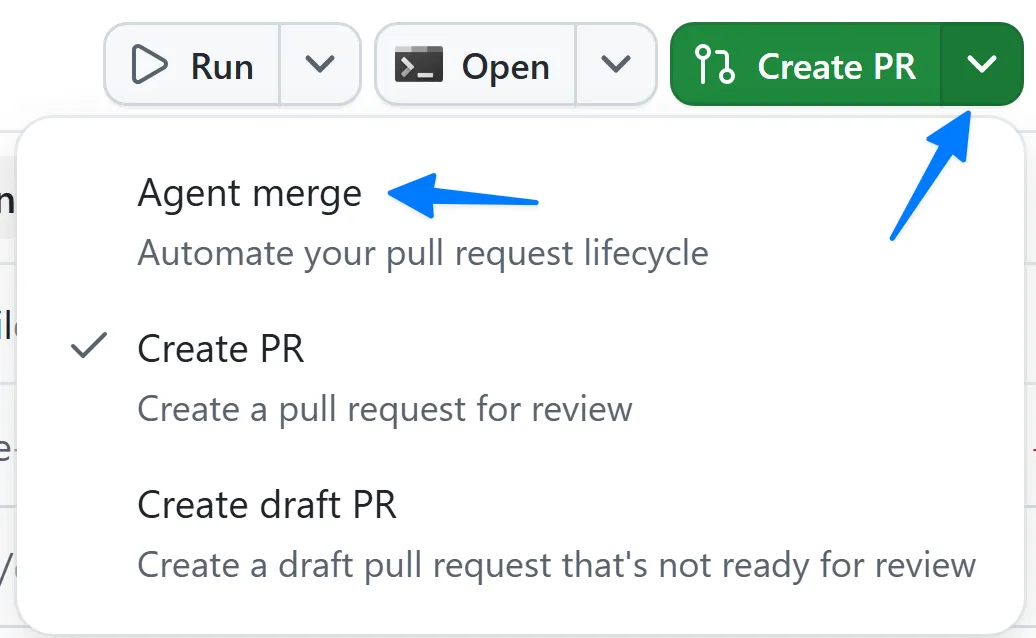
-
The button text now changes to Agent merge.
-
Select the Agent merge button to start the agent merge process.
Copilot app then begins the process of creating and managing the PR! It starts by exploring the project to determine how best to create a PR, followed by creating the new PR.
After a few moments, you’ll notice Copilot starts work again, looking at the PR conditions - the CI process of running all the tests on your repository. It will report back status on any reviews left by other team members, any checks that need to run (the CI process), and if the PR is mergeable.
-
Allow agent merge to merge the pull request by selecting the dropdown next to Agent merge then Merge pull request.
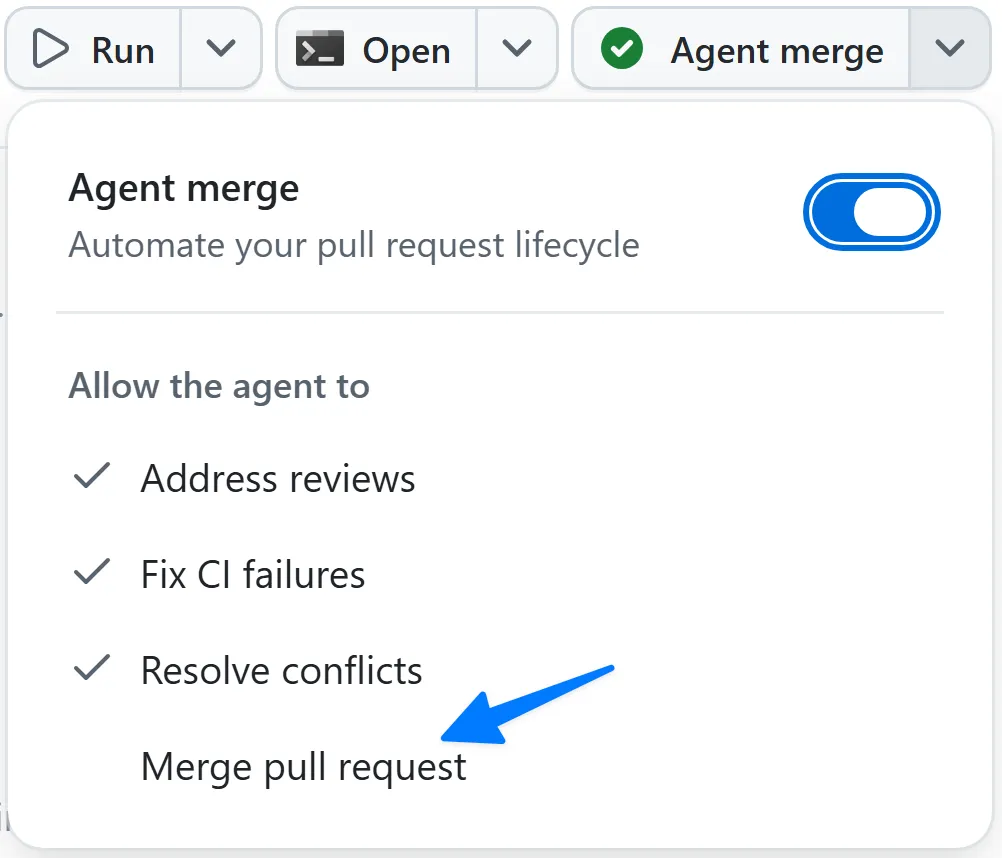
-
Once all CI processes are green (meaning the tests passed), Copilot will merge the pull request!
Summary and next steps
You’ve automated several parts of the development process, including generating code, testing and validating code, and now the pull request process. You:
- learned what Agent Merge is and how it automates the merge lifecycle.
- enabled Agent Merge on your filtering session.
- watched it create the pull request, run CI, and merge when everything was green.
Next, you’ll explore canvases — a richer way to plan and visualize work with the agent. Continue to Lesson 7 - Planning with canvases.