模块 3 - 将智能体连接到网站
在模块 2中,已经部署并测试了 Backer Concierge。本模块是可选礼宾助手系列的最后一个模块,将让本地 Tailspin Toys 网站能够使用该智能体。
在本模块中,将完成以下任务:
- 构建本地 Azure Functions 代理,将 Foundry 凭据保留在服务端。
- 向网站添加无障碍聊天组件。
- 验证完整的对话流程并清理资源。
场景
支持者在 Tailspin Toys 网站上发现游戏,而不是在开发者的终端或 Azure 门户中。团队希望在目录旁提供礼宾助手,其聊天体验应支持追问,并保护服务凭据。
继续使用已托管的智能体
网站集成需要模块 2 中已部署的智能体。代理和网站在本地运行期间,智能体将继续在 Foundry 中运行。
- 返回 Tailspin Toys 存储库的
foundry-agent-cli分支,以及现有的 Copilot CLI 会话。 - 确认 Backer Concierge 已部署,并且构建并部署智能体中的远程调用已通过验证。如果已经移除了 Azure 资源,请先按照前面的模块重新创建,再继续。
本模块中的代理和网站在本地运行,并非生产网站部署。在完成清理之前,模型和托管智能体仍是计费的 Azure 资源。
构建服务端代理
Tailspin Toys 采用完全预渲染方式。浏览器代码绝不能直接调用托管智能体或接收 Foundry 凭据。将添加一个本地 Azure Functions 服务端凭据边界,由它向 Foundry 进行身份验证,并仅将智能体的回答返回给浏览器。
microsoft-foundry 技能负责托管智能体的工作流程,而同一插件中用途更广泛的 Azure 技能可用于准备本地 Function 项目。将使用这些技能构建代理,然后检查代理能否在不暴露凭据的情况下访问智能体。
-
在 Copilot CLI 中输入:
Use the Azure skills to add an Azure Functions v4 Node.js and TypeScript project in api with one POST /api/concierge endpoint that invokes my deployed Backer Concierge hosted agent. This Function will run locally only; don't add it to azure.yaml or create Azure deployment infrastructure. Use DefaultAzureCredential with my local Azure sign-in. Keep the HTTP trigger thin, isolate the Foundry client in a unit-testable module, validate and limit request bodies, set explicit timeouts, and return sanitized errors. Store the Foundry project endpoint and agent name in local server-side settings that are excluded from version control. Never return credentials or access tokens to the browser. The Astro site is `output: 'static'` with no dev proxy, so also add a local-only Vite dev-server proxy for /api to the Function's port in astro.config.mjs, so relative /api/concierge requests reach it during `astro dev`.For conversation state, generate a high-entropy handle on the server, map it to the Foundry conversation server-side with an expiration, and never expose a raw Foundry conversation or thread identifier. Reject malformed, expired, and unknown handles. Add focused unit tests.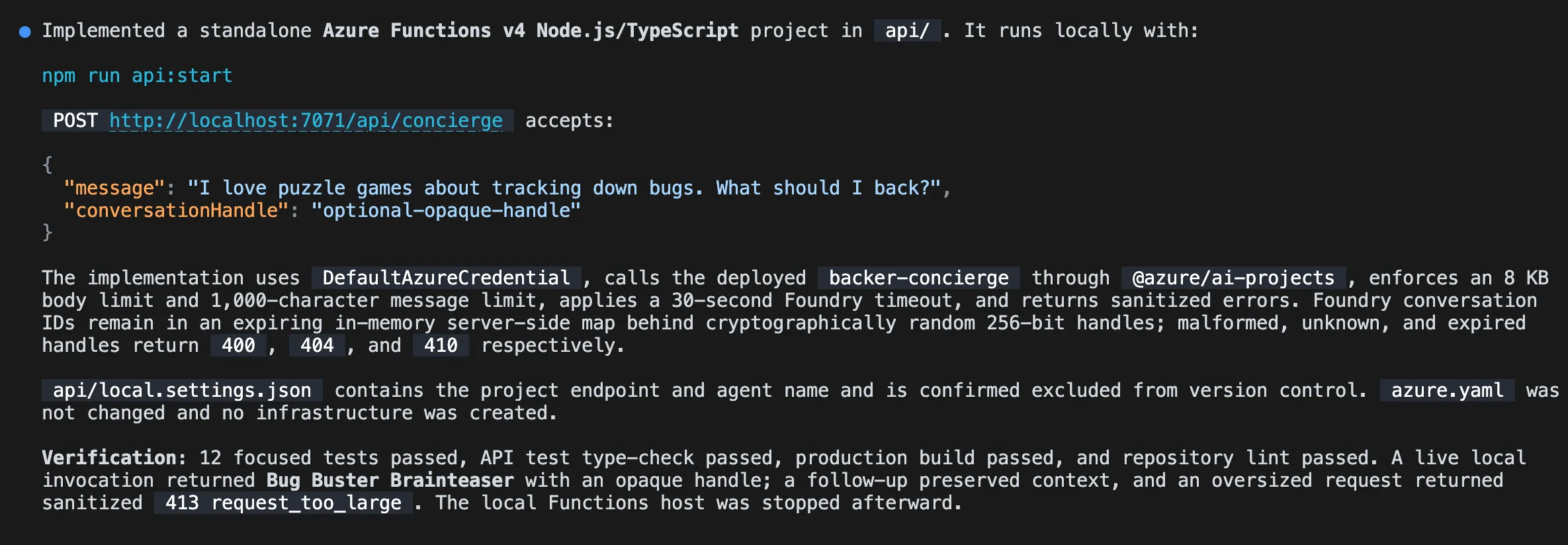
-
打开另一个终端,然后使用 Copilot 提供的命令启动本地 Function。保持 Function 运行。
-
返回 Copilot CLI,让 Copilot 测试本地代理:
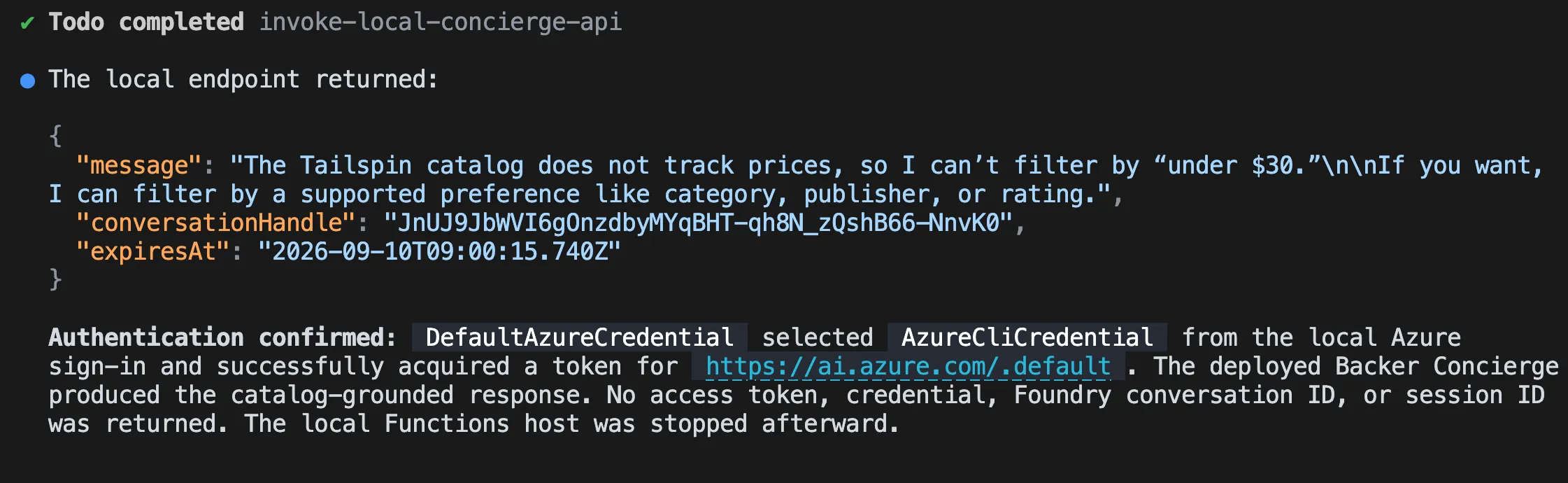
Send a request to the local /api/concierge endpoint asking "Which games are under $30?" and show me the sanitized JSON response. Confirm that the request reaches the deployed Backer Concierge through DefaultAzureCredential. -
查看响应。它应说明目录不包含价格。响应中不得包含 Foundry 令牌、凭据、项目终结点、原始 Foundry 对话标识符或堆栈跟踪。
构建聊天组件
代理为浏览器提供了安全访问礼宾助手的方式。现在将向网站添加聊天组件,并使用 Playwright 检查完整的对话流程。
-
让 Copilot 创建网站集成:
Add an accessible Backer Concierge chat widget as an Astro component and render it site-wide from Layout.astro. It should POST to /api/concierge and thread the conversation using the returned opaque conversation handle, follow the dark theme in style.instructions.md, support Escape to close, and include data-testid attributes. -
保持本地 Function 运行,并在另一个终端中使用 Copilot 提供的命令启动 Astro 网站。
-
返回 Copilot CLI。在练习 4中添加的 Playwright MCP 服务器已可用。让 Copilot 测试组件:
Use the Playwright MCP server to test the Backer Concierge widget end to end in the running Tailspin Toys site. Verify its core chat flow, conversation continuity, accessibility, error handling, grounding boundaries, and secure use of the local proxy. Report the results and include evidence for any failures.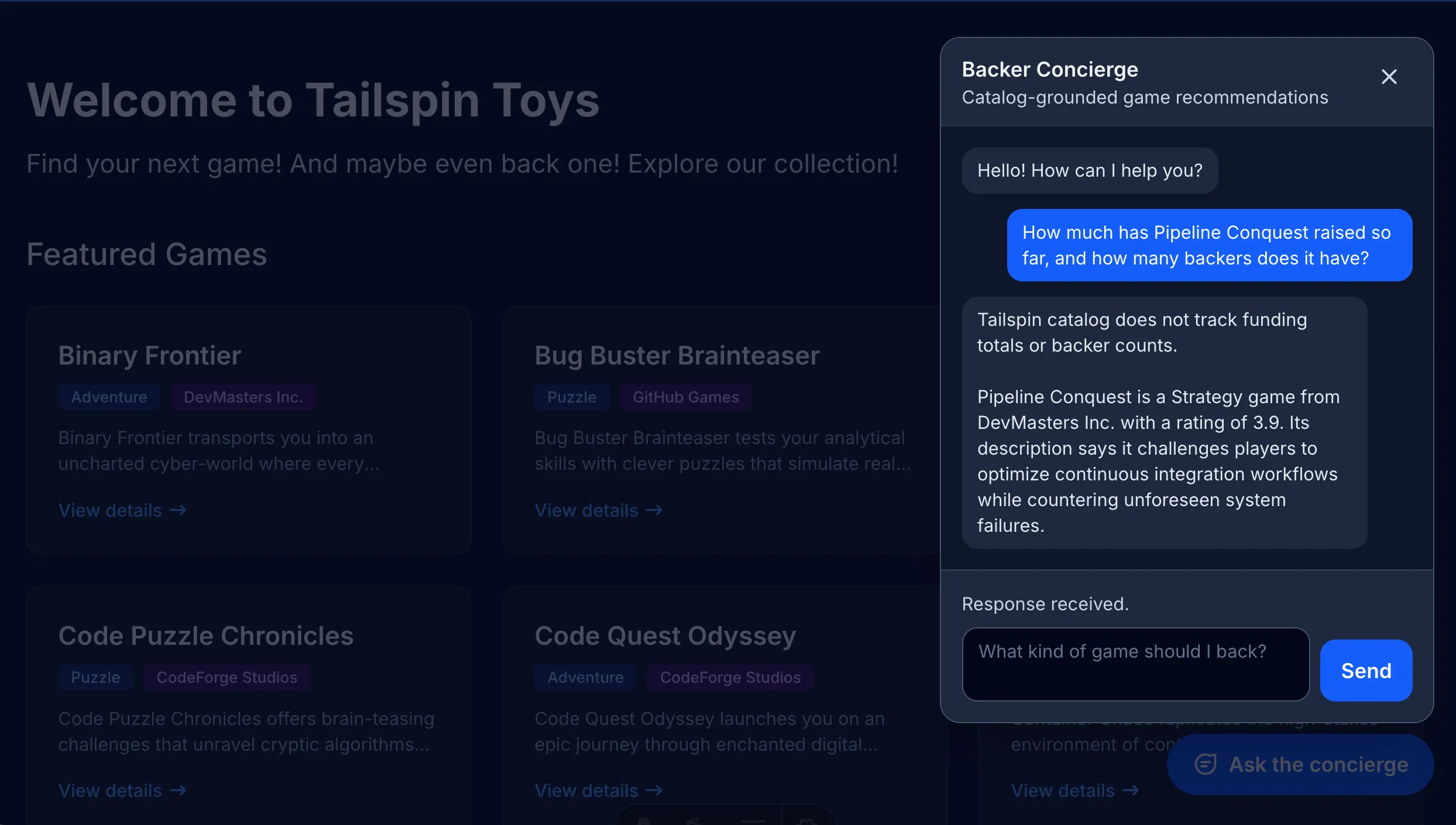
-
根据报告中的证据检查结果。如果有任何检查失败,请让 Copilot 修复相关代理或组件的行为,并在结束前重新运行失败的检查。
清理资源
现在已经达到最后一个完成标志:在本地网站中运行的礼宾助手。共用的清理说明涵盖了整个系列中创建的本地服务和 Azure 资源。
- 完成清理资源中的操作,包括停止本地服务并确认 Azure 资源删除已完成。
总结和后续步骤
本模块通过本地服务端代理和无障碍聊天组件,将托管的 Backer Concierge 连接到了 Tailspin Toys。在整个系列中,使用 GitHub Copilot CLI 和 Foundry 准备了模型、构建并部署了智能体,并验证了完整的网站集成。
继续学习回顾与后续步骤,完成 CLI 工作坊。